
Free
€0
No card needed
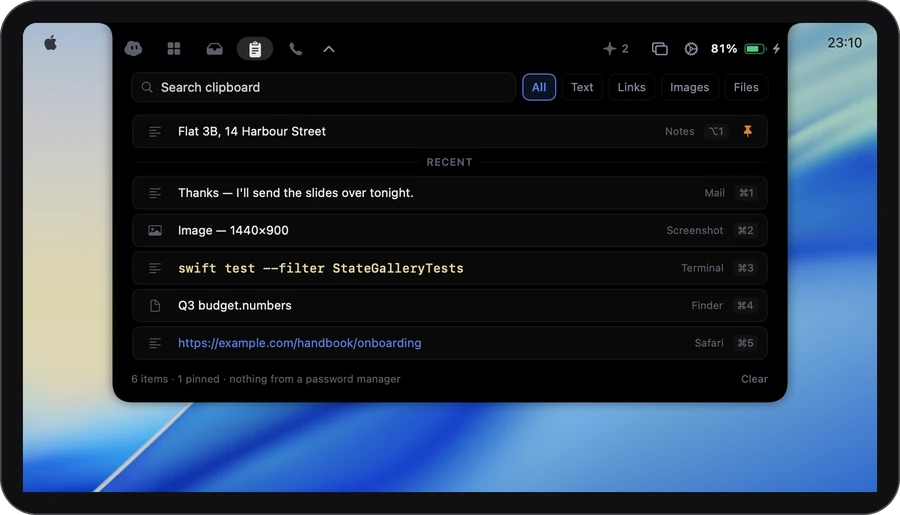
- Clipboard keeps your last 100
- Answer one coding agent at a time from the notch
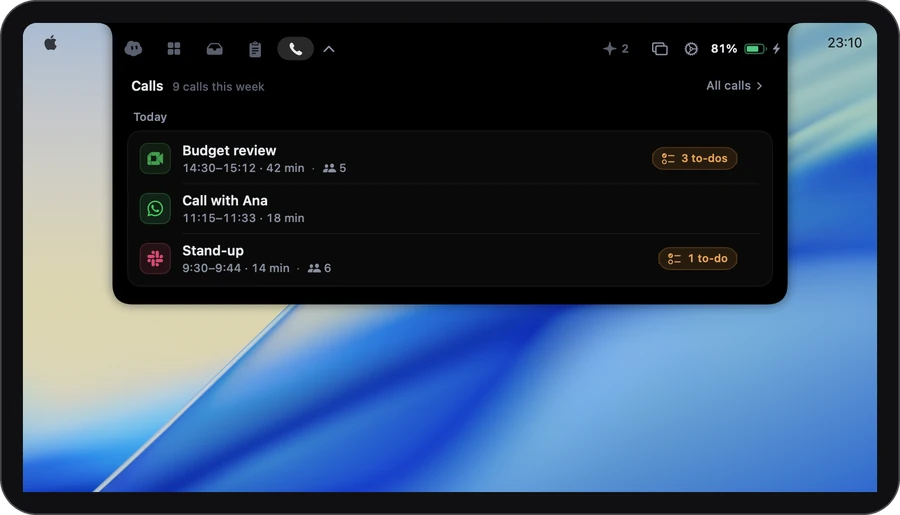
- Calls: words, transcript and notes for the first 30 minutes, on your Mac
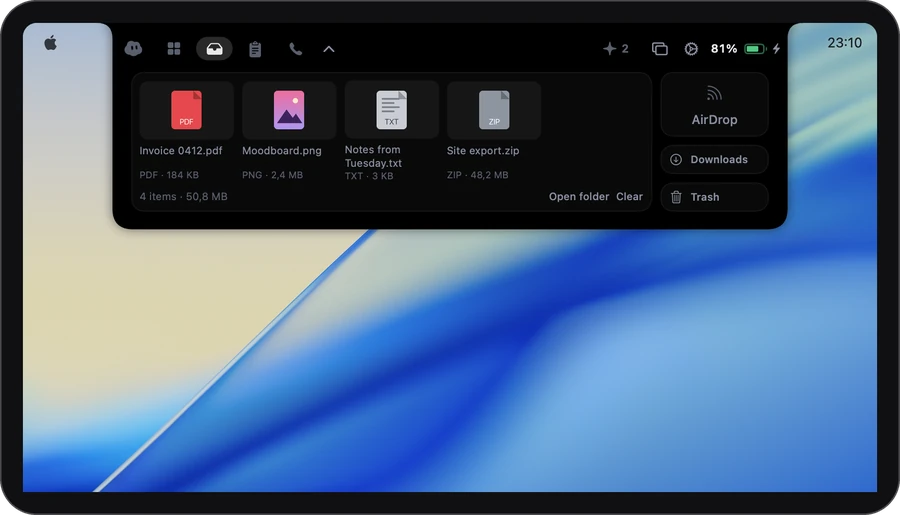
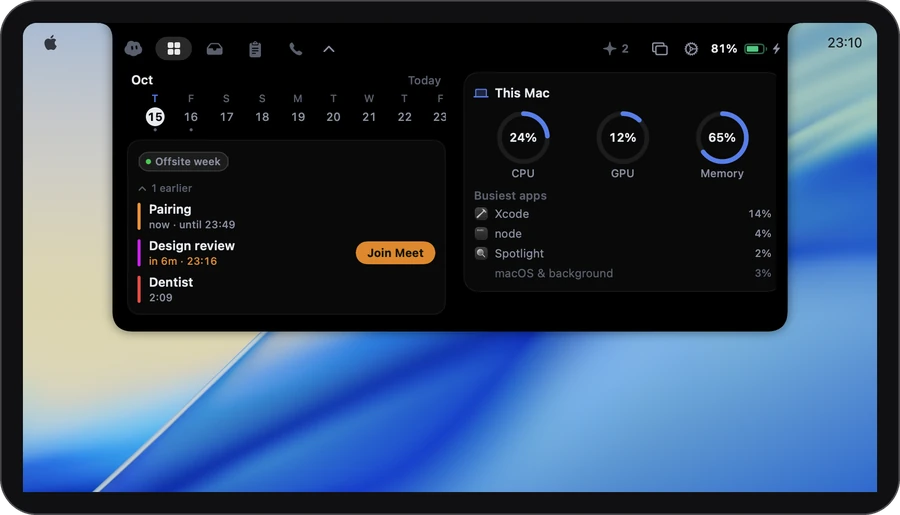
- Everything else: music, calendar, the shelf and dictation
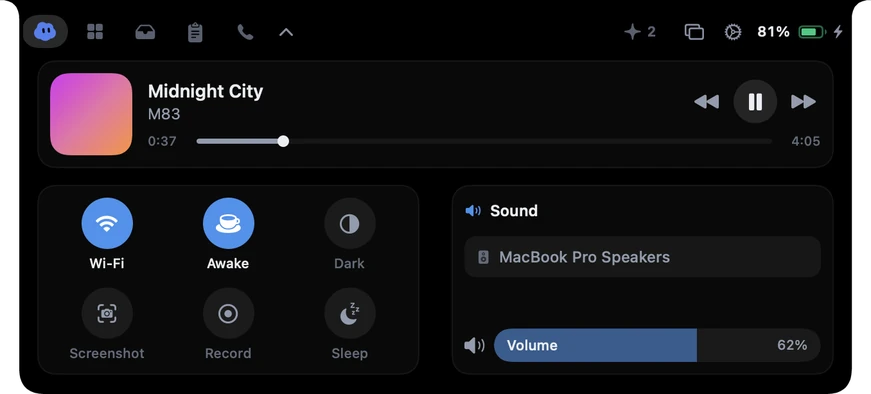
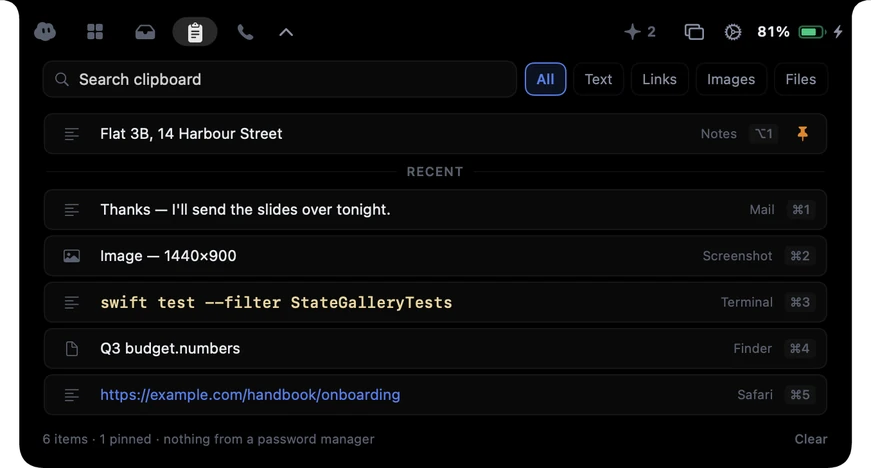
A little cloud lives in your Mac’s notch. It writes down your calls, types what you say, and keeps your clipboard, files, music and coding agents one glance away.
Airlock is a Mac app for MacBooks with a notch. On your phone? Send yourself the link and open it on your Mac.
Free, no card needed · Plus from €3.99 a month · Apple silicon
or with Homebrew: brew install --cask gdelolmo7/tap/airlock
Call notes · Transcripts
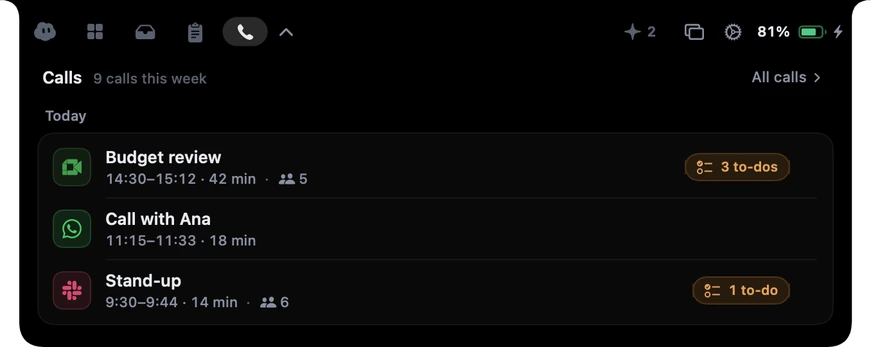
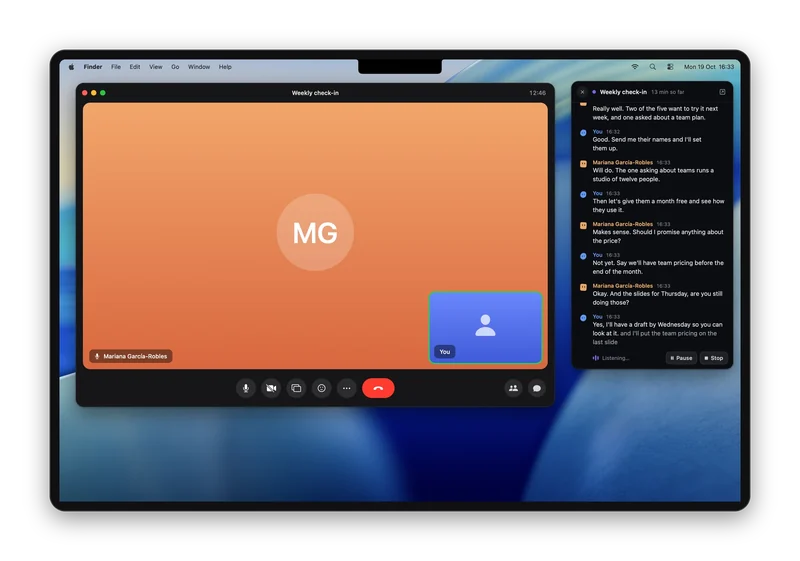
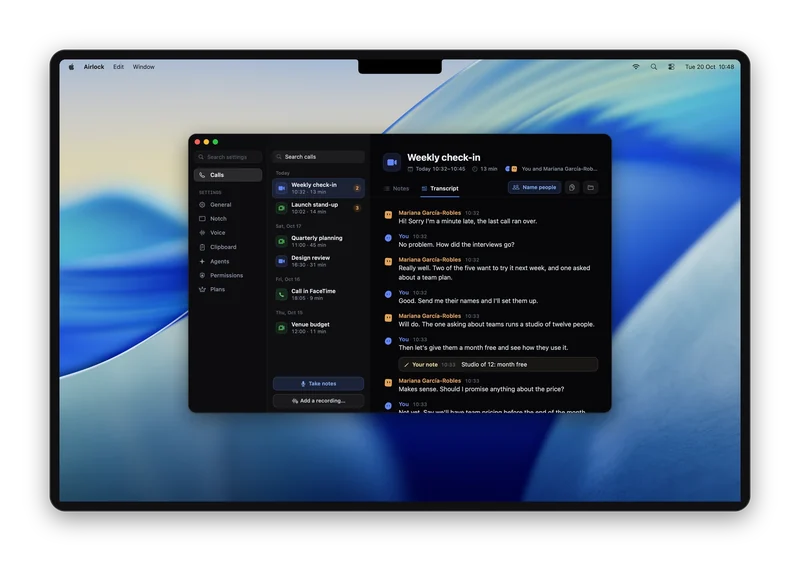
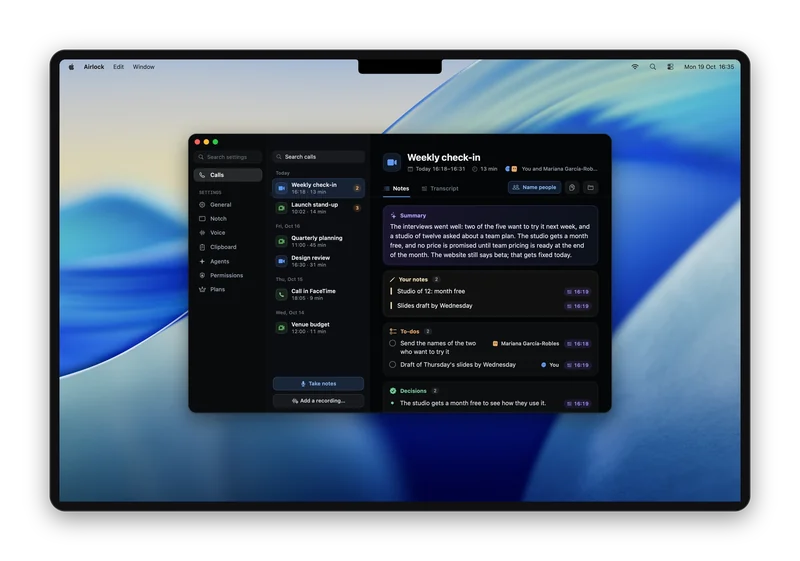
The words appear beside the call as they’re said. When it ends, the whole transcript is there, with a summary and the to-dos, each linked to the moment it was said.
Dictation
Hold ⌃ and speak. Let go, and what you said is typed wherever your cursor is: a mail, a note, a chat, in any app.
To: Sam
Subject: Lunch
Hi Sam, can we move lunch to one?
Meet the cloud
It sits in the closed notch all day. Its colour and its eyes change with what’s going on, so you don’t have to open anything to know whether something needs you.
What it does
For people who code
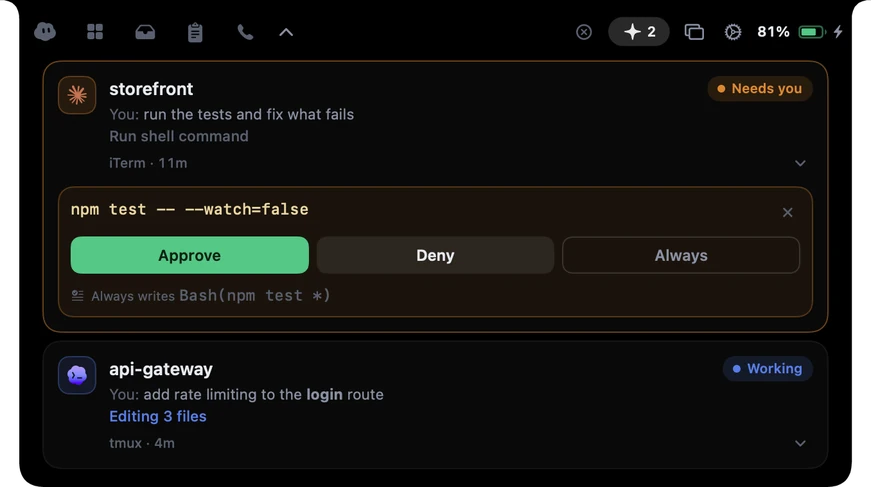
Claude Code waits for a yes in a tab you’re not looking at. Airlock brings the question to you.
npm test -- --watch=false
Plans
Free is the whole notch. Plus and Pro are for longer calls, better notes and more agents.
€0
No card needed
€35.99
a year · €3 a month, billed yearly
Everything in Free, and:
€71.99
a year · €6 a month, billed yearly
Everything in Plus, and:
One download for every plan. If Airlock is on your Mac, paying turns your plan on in it straight away, and the key is in your email too. Changing plans never deletes anything you made.
Compare the plans →Airlock lives in the camera housing, so it needs a Mac that has one: MacBook Pro from 2021, MacBook Air from 2022. With the lid shut, it can show on an external display instead.
There’s no trial because Airlock has a Free plan: download it and use it, with no card and no account. Plus and Pro are there if you want whole calls covered, better notes, or to answer every agent from the notch. If you started a trial before the plans came in, you keep the days you have left, then move to Free.
Free keeps the whole notch: music, your calendar and joining meetings, battery, the shelf and system controls, plus dictation and the last 100 things you copied. For the first 30 minutes of every call you get its words as they’re said, a transcript you can search, and notes, all on your Mac. After that the call carries on as normal; Airlock just stops listening. You can answer one coding agent at a time from the notch, and the safety rules cover every agent. Plus keeps up to 1,000 things you copied, puts windows in place from the notch, removes backgrounds in the drop box, covers the whole call with notes written online by a much better model, tells the voices on a call apart, can redo the notes of past calls, and answers every agent. Pro is Plus with the best model we’ve tested and twice as many online notes each month. Changing plans never deletes anything you made.
Not for Plus or Pro: their notes are written online, so they work on every Mac. On Free, call notes are written by Apple Intelligence on your Mac. Without it, Free still gives you the words and the transcript for the first 30 minutes of each call, and Airlock shows you where to turn Apple Intelligence on.
Turn the Agents tab off in Settings and it never appears again. Everything else works exactly the same.
Clipboard, files and calendar never leave your Mac, call notes are saved only there, and the app has no account. What does leave: your licence key and an identifier for this Mac when you activate and around each renewal, album art from your music player’s own servers, crash reports and counts of which features you use, each only if you turn it on and with nothing personal in them, and, on Plus or Pro, a call’s words so its notes can be written online, unless you turn that off. Privacy lists all of it.
It keeps the words, never the sound. Notes start only when you say yes as a call begins, or every time if you chose Always, and you can turn them off in Settings › Voice. Your Mac turns what’s said into words. On Plus and Pro the notes are written online, with better summaries and to-dos: only the words go, nobody keeps them, and “Write notes online” in the same place turns it off. On Free, or with it off, your Mac writes the notes itself. Either way the notes stay on your Mac, readable only by you. Airlock never posts anything or messages the others; if you want to tell them, a sentence is ready to copy.
Only when you press Screenshot or Record in the notch, and the picture or the recording goes straight to your desktop. Nothing else in Airlock looks at your screen, and dictation and call notes turn speech into text on your Mac.
Cancel anytime and keep Plus or Pro until the period you paid for ends; then Airlock moves to Free, with nothing locked and nothing deleted. Ask within 30 days of paying for a refund.
Yes. Airlock’s source is on GitHub to read, and you can build it for your own personal use. It is source-available rather than open source: sharing builds and commercial use aren’t allowed, and Plus and Pro are how Airlock is paid for.
The film · One minute
Notarized by Apple · macOS 26 or later · Apple silicon
or brew install --cask gdelolmo7/tap/airlock