 Notes?
Free
€0
The first 30 minutes of every call: the words as they’re said, a transcript, and notes written on your Mac by Apple Intelligence. On a Mac without it, the words and the transcript.
Call notes · Transcripts
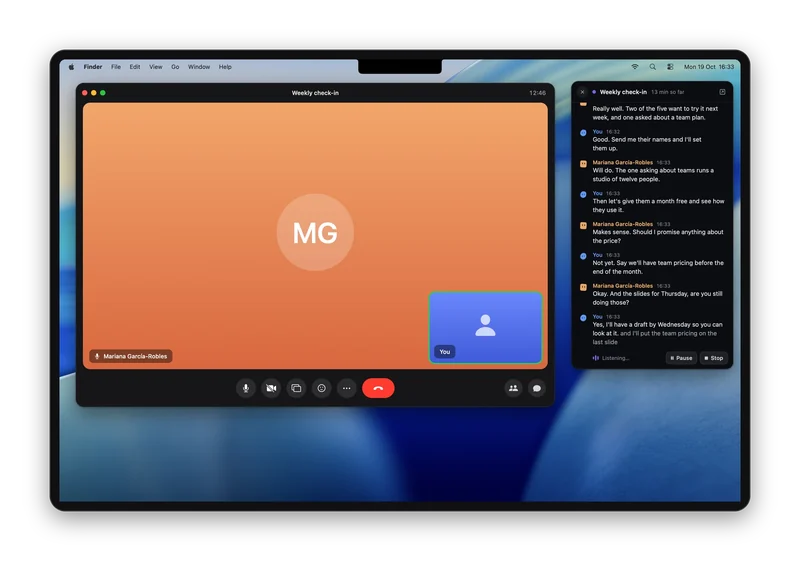
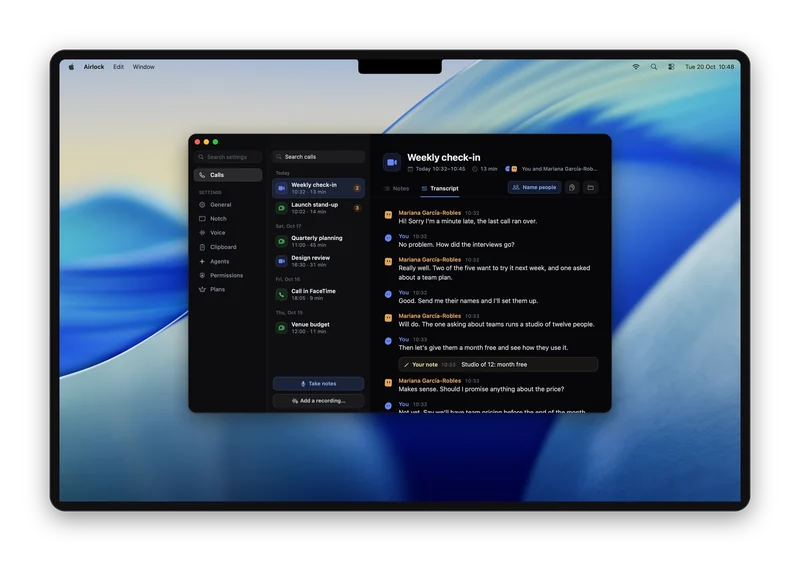
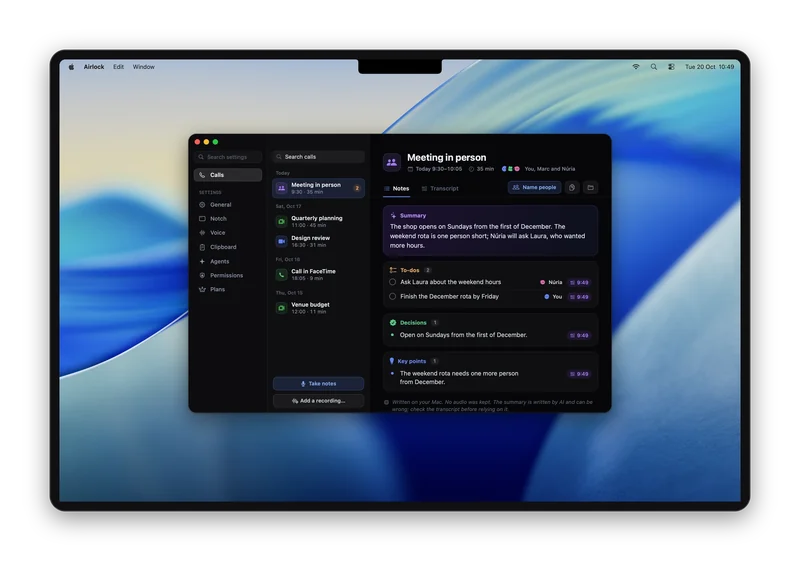
The notch offers to take notes as a call starts, and the words appear as they’re said. When it ends, you get the whole transcript, a summary, the to-dos and the decisions. No bot joins the call, and no audio is kept.
Airlock is a Mac app for MacBooks with a notch. On your phone? Send yourself the link and open it on your Mac.
Free plan, no card needed · macOS 26 or later · Apple silicon
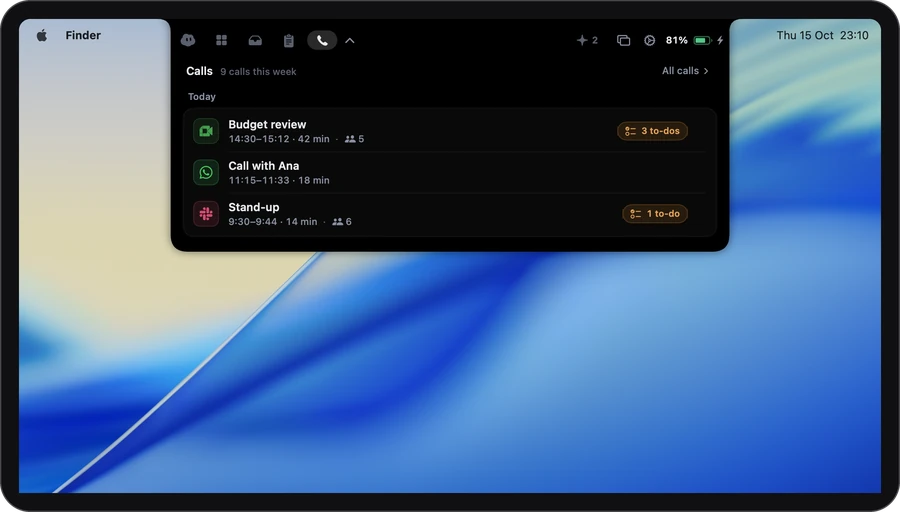
When an app uses your mic and plays sound at once. Not now means nothing is written.
As they’re said, in a window beside the call. Jot a line, mark a moment, or pause.
Summary, to-dos, decisions, open questions and key points, with the transcript.
From the first word to the finished notes.
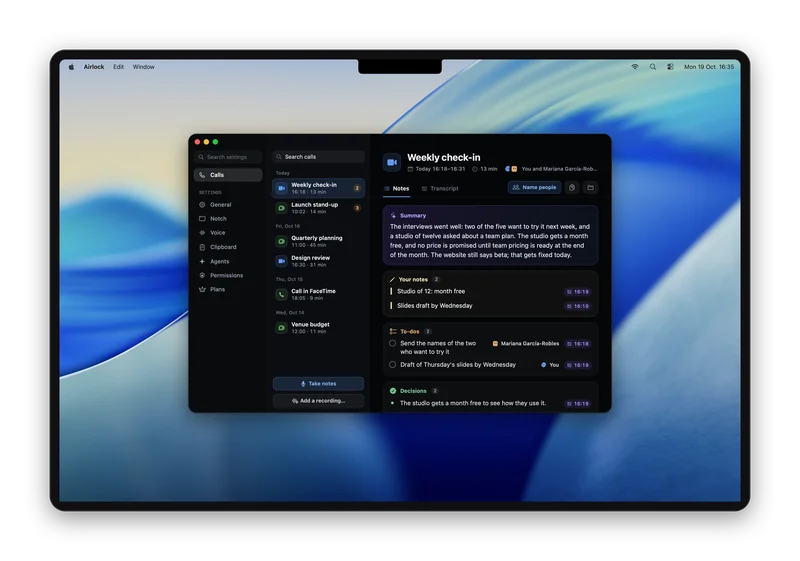
Every to-do links back to the moment it was said.
Launch check32 min · ZoomTo-dos
Pick a to-do
4:12 · Ana
“I’ll send it first thing.”
Ana said it, so it’s Ana’s.
4:15 · You
“Then I’ll move the launch post to Thursday.”
You said it, so it’s yours.
18:30 · Sam
“Support should hear about the prices a day before.”
Nobody took it on, so it has no name.
Notes also have a summary, decisions and open questions, saved as plain files on your Mac.
Zoom, Google Meet, Microsoft Teams. The notch asks as the call starts.
WhatsApp, Discord, and anything that uses the mic and plays sound.
No call needed. Press Take notes and your Mac hears the room.
Drop it in the Calls tab. 40 minutes takes about 7.
No bot joins your call. Just tell people.
For the first minute of every call, the notes in the notch show a Copy button with a line ready for the call’s chat. In the room, it reminds you to say it out loud.
Privacy
Your Mac turns speech into words as the call goes. The sound itself is never saved or sent. The privacy page lists every request Airlock makes.
It starts out like this. Everything is in Settings › Voice.
No key to start: the notch asks.
€0
The first 30 minutes of every call: the words as they’re said, a transcript, and notes written on your Mac by Apple Intelligence. On a Mac without it, the words and the transcript.
€3.99 a month
The whole call. For a call you said yes to, the notes are written online by a better model: only the words go, and nobody keeps them. Turn that off and your Mac writes them. It also tells the voices apart: Person 1, Person 2…, on your Mac.
€7.99 a month
Plus with the best model we’ve tested, and twice as many online notes each month.
It asks for: The microphone, system audio and speech recognition. Calendar and Accessibility are optional.
Compare the plans →Only if you tell them, and we think you should. Airlock doesn’t join the call or message anyone, so it keeps a sentence ready to copy into the chat: “Heads up: I’m taking notes of this call. No recording is kept.”
No. Your Mac turns speech into words as the call goes, and the sound is never saved or sent anywhere. What’s kept is the transcript and the notes, on your Mac.
Your words are marked as yours. On Plus and Pro, Airlock also tells the other voices apart by sound: Person 1, Person 2…, worked out on your Mac, and you can name them after. It never names anyone by itself, and no voice is remembered after the call. On Free, everyone on the other side is “Them”.
Not on Plus or Pro: their notes are written online, so they work on every Mac. On Free, notes are written by Apple Intelligence on your Mac. Without it, Free still gives you the words and the transcript for the first 30 minutes of each call.
In the Meetings folder inside the Airlock folder in your home folder: one folder per call, with the notes and the transcript as plain text files you can open in any app.
Notarized by Apple · macOS 26 or later · Apple silicon
or brew install --cask gdelolmo7/tap/airlock